After the Lights Flicker: Bringing Your PC Back After a Winter Power Cut

Photo: Carl Holsøe, Public domain, via Wikimedia Commons
The wind picks up, the lights dip once, and then everything goes dark. When the power comes back a few minutes later your PC sits there like nothing happened — except the half-finished report you were writing is gone, and the machine is now doing something mysterious with a black screen.
Deep breath. Power cuts are a normal part of a UK winter, and most PCs come through them completely unscathed. What follows is a calm order of operations, from the moment the lights go out to the point where you'd genuinely want to ring someone.
First: leave it alone for a minute
Don't hammer the power button. When electricity returns, the supply can wobble for a second or two as it settles, and that's the worst possible moment to be switching things on and off. Unplug the PC from the wall, count to sixty, then plug it back in. If you have a surge-protected extension lead, leave the PC plugged into that and switch the lead off at the socket instead.
If the cut was caused by a lightning strike nearby, or you noticed a hot-plastic smell, skip ahead to the last section before you do anything else.
Where did your work actually go?
Here's the reassuring bit: modern software is far better at this than it used to be. Word, Excel and PowerPoint all keep an autosave copy, and when you reopen the app after an unexpected shutdown you'll usually get a panel down the left-hand side offering a recovered version. Compare it with the last file you saved, pick whichever has more of your work in it, and save it straight away under a new name.
If that panel doesn't appear, go to File, then Info, and look for the option to manage unsaved documents. Word will usually list the recovery files for you — they live in a folder with an odd name, and you never have to find it by hand.
Google Docs and Microsoft 365 in a browser are the easy case. They save as you type, so you'll usually find your document exactly where you left it, possibly minus the last sentence.
Windows wants to scan the disk — let it
A PC that loses power mid-write will often boot into a blue screen saying it's scanning and repairing a drive. It looks alarming; it isn't. Windows is checking that the file system isn't tangled, and it's designed to be safe to leave running. Let it finish. A small drive takes a couple of minutes, a large one can take much longer, and that's normal.
If Windows refuses to start at all, don't panic-buy anything. Try Safe Mode once — that's usually enough to tell you whether you're dealing with a software scrape or something worse.
Don't forget the bits that were plugged in
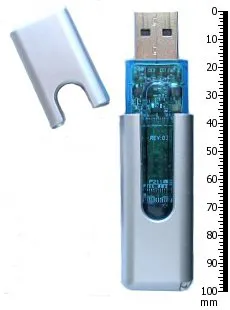
External hard drives, USB sticks and memory cards are the quiet casualties of a power cut. A drive that was mid-write when the lights died can end up with a damaged file system, which usually shows up as a message saying you need to format the disk. Do not press format. Formatting wipes it. Instead, unplug it, try a different port or a different machine, and see whether it's readable. If it's a backup drive, you can often simply reformat it and run the backup again from scratch.
The other thing worth checking is your router. Most recover on their own, but if your PC has internet and nothing else in the house does, an unplug-wait-plug of the router sorts out the majority of cases.
The kit that takes the hit for you
Two things protect a PC in a power cut, and they are not the same thing.
A surge protector is a power strip with a component inside that absorbs a spike. Plenty of cheap extension leads are sold as surge protected when they're really just six sockets in a plastic case — look for a stated joule rating and a connected-equipment warranty if you want reassurance. A decent one from a known brand costs £15–£30 and is money well spent for anything you'd be upset to lose.
A UPS — uninterruptible power supply — is a box with a battery that keeps the PC running for a few minutes after the power dies, so you can save and shut down properly. They start around £60–£80 for a modest desktop, though a gaming rig with a big graphics card needs a beefier one. If you work from home and lose power a few times each winter, this is the single best purchase you can make. If you're mostly browsing and emailing, a surge strip plus good saving habits is plenty.
Two habits that cost nothing
Press Ctrl and S like it's a nervous tic. It takes a fraction of a second and it's the difference between a mild inconvenience and an evening's work in the bin.
And save your working files inside OneDrive or Google Drive rather than straight onto the desktop. Cloud folders keep versions and sync as you go, so even a total power failure leaves you with a copy on somebody else's server.
When to actually worry
Most power cuts are a non-event. Ring a professional — or the manufacturer, if the machine is under warranty — if:
- The PC won't power on at all, and you've tried a different socket and a different kettle lead.
- You hear clicking, grinding or a repeated beep from inside the case.
- There's a burning smell, scorch marks, or the machine cut out during a storm and won't come back.
- Windows starts, but your external drive is making a noise like a tiny tractor.
Those are the situations where poking at it yourself can turn a repair into a replacement. Everything else — the scanning screens, the recovered documents, the router sulking in the corner — usually sorts itself out within half an hour.
Put the kettle on. It's probably fine.