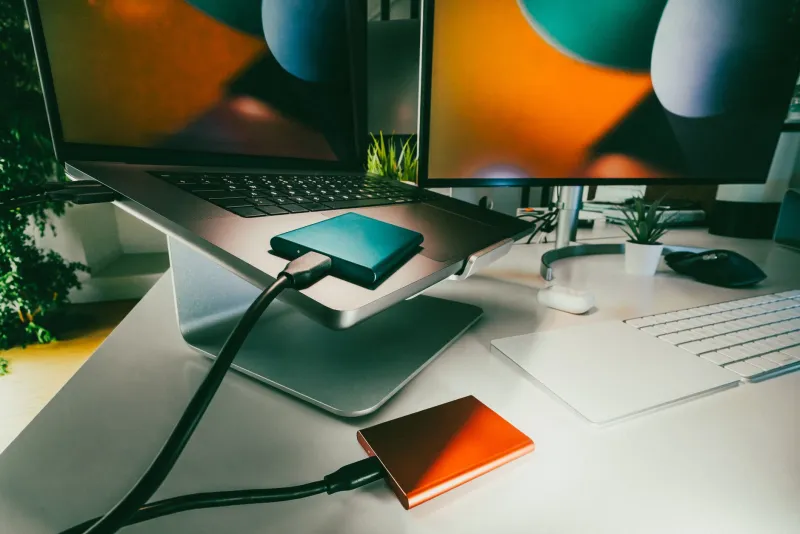
The Drawer of Mystery Leads: A Calm USB-C Cable Audit for Your Desk
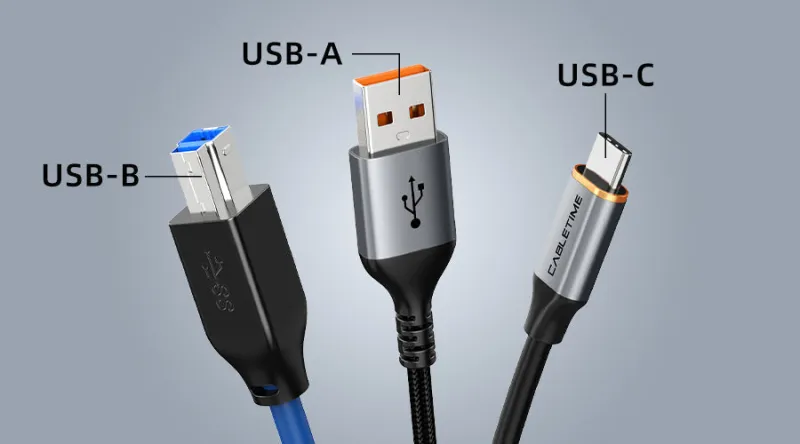
Photo: USB-C cables labelled and organised in home office drawer, via cabletimetech.com
You reach into the drawer, pull out a USB-C cable, plug it into your laptop, and wait. Nothing happens. Or the battery icon barely moves. Or the monitor stays stubbornly black. The plug fits, so it should work — except USB-C has never been quite that simple.
The connector is a standard shape. The cable inside is not. Two leads can look practically identical and still be built for completely different jobs: one might be a slow charging cable that came with a cheap phone, another might carry video to a monitor, and a third might be a high-wattage laptop charger that cost more than the others combined. None of them will tell you which is which unless you look closely or test them.
This is not a reason to panic. It is a reason to spend ten calm minutes sorting out the drawer.
Same plug, very different jobs
A USB-C cable can carry power, data, video, or a combination of all three. The shape of the plug only guarantees that it will fit. It says nothing about what the cable can actually do.
A thin, flexible cable that came with a pair of headphones may manage a slow trickle of power and very little else. A cable bundled with a laptop may be rated for 65W or 100W and charge the machine properly. A cable supplied with a monitor may support DisplayPort Alt Mode, which is the clever bit that lets one USB-C port send a video signal. A cable bought for an external SSD may support 10Gbps data transfers, while another cable in the same drawer may only manage USB 2.0 speeds.
That is why swapping cables at random can feel like a lottery. The good news is that most homes only need a small number of clearly labelled leads, and once they are sorted, the guesswork disappears.
What the markings can tell you — and what they hide
Some cables are printed with helpful symbols. You may see a USB trident logo, or letters such as SS beside a number like 5Gbps or 10Gbps. You might see a wattage figure, such as 60W, 100W or 240W. Thunderbolt cables often carry a small lightning bolt. These markings are a useful starting point.
The trouble is that plenty of cables have no markings at all, especially the ones that came bundled with a device. The absence of a logo does not prove a cable is basic, but it does mean you cannot rely on a quick glance. Very cheap cables may also claim capabilities they do not really meet, which is one reason to be cautious with unknown marketplace bargains.
For higher-power laptop charging, look for an e-marked cable rated for the wattage you need. For a monitor, the cable needs to support video, and the laptop port needs to support video too. A USB-C cable is not automatically a video cable, and a USB-C to HDMI cable is a different thing altogether. If you are unsure, the device manual is usually more honest than the drawer.
The ten-minute drawer audit
Start by gathering every USB-C cable in the house. Put them on a table and keep each one with the device it originally came with wherever possible. The cable that arrived with your laptop charger is the one to keep with that charger. The short cable that came with your phone is probably best left with the phone.
Next, test the ones you are unsure about. Plug your laptop charger into your laptop using each candidate cable and see whether the laptop charges at a sensible rate. Do not use a cable that becomes hot, crackles, or only works when wiggled; retire it instead. For data, connect a phone or a USB-C SSD and copy a large file. A cable that is painfully slow is fine as a charging spare, but it is not the one to use for backups.
If you use a USB-C monitor, test the video cable with the screen. If the display stays blank, the cable or the port is not carrying video. That is useful information, not a failure.
Then label the keepers. Masking tape and a marker are perfectly adequate, though a small label printer is neater. Write the job, not the brand: “Laptop 65W”, “Phone only”, “SSD 10Gbps”, “Monitor”. Store the labelled cables in separate pouches or use cable ties to keep them apart. A cheap cable organiser is one of the least glamorous purchases you can make, and one of the most useful.
Finally, be honest about damaged leads. Frayed outer sheathing, bent connectors, or a cable that only works at a certain angle should go. USB-C cables carry low voltage compared with mains wiring, but a failing lead can still cause intermittent faults, heat, or data corruption. Replace it rather than taping it up and hoping.
Buying the right replacement without overpaying
The phrase “USB-C cable” on a product page is not enough. Match the cable to the job. For laptop charging, check the wattage of your charger and buy a cable rated for at least that much. For a monitor, check the resolution and refresh rate you need, then look for a cable that explicitly supports video and the right standard. For external drives, look for the data speed you actually need rather than assuming every cable is fast.
Buy from a reputable UK retailer where possible, and keep the receipt. Currys, Argos, John Lewis and specialist cable sellers all stock sensible options. You do not need the most expensive cable in the shop for every task. A well-made 100W charging cable for a laptop and a separate video-rated cable for a monitor will often cost less than one do-everything cable, and they are easier to replace when one goes missing.
The one-cable dream does exist in the form of Thunderbolt 4 or USB4, which can carry power, data and video over a single lead. It is genuinely useful for a tidy desk and a docking station, but it is also more expensive. For most home users, three clearly labelled cables are a calmer and cheaper solution.
A calmer desk in one evening
Sort the drawer, test what you can, label the keepers, and bin the frayed ones. Keep the original charger with the laptop, keep a video cable with the monitor, and keep a fast data cable with the backup drive. The next time something does not work, you will not be guessing in the dark. You will simply pick up the cable with the right label on it — and get on with your evening.